0G Compute
Open Settings → 0G Compute. This page manages the account funds, keys, and model catalog Ghast uses for 0G inference. Tokens shown in Wallet and the inference account balance shown here are separate records.
Set up the Management Key
On first use, Ghast guides you through creating or saving a Management Key. It lets Ghast read account funds and usage and manage its own inference keys.
If you already have one, paste the mk-... key and select Test & Save. It needs account-read and key create/manage permissions.
The Management Key is different from the inference key used for model calls:
- A configured inference key can continue to call models on its own.
- Without a Management Key, Ghast cannot fully refresh balance and usage or manage inference keys. An automatic-funding check is skipped.
The Management Key is encrypted in the current local Profile and sent as a Bearer credential to the account- and key-management APIs at router-api.0g.ai. It is not sent as model content and is not the inference key used for chat completions.
Rotate keys
The key-actions menu can rotate the Management Key or API key.
- When Ghast created the previous Management Key, Ghast attempts to revoke it after saving the new key. A failure to revoke the old key does not roll back the new saved key.
- When the previous Management Key was created elsewhere, Ghast does not revoke it for you; revoke it at its source.
- Ghast can revoke a previous inference key during rotation only when it knows that key’s ID.
After rotation, separately verify that the new key can refresh account state and that the old key is revoked, then run a short non-sensitive model test. If old-key revocation failed, remove it manually from the 0G account.
Account funds
The page separates the inference account into:
| Field | Meaning |
|---|---|
| Total | The combined amount currently displayed for the account. |
| Credit | Account credit balance. |
| Payment Layer | Funds available for router settlement and automatic funding. |
| Router Deposit | Funds deposited into the Router. |
Use Refresh for the latest state. Addresses, balances, and key actions are sensitive; do not publish screenshots containing them.
Enable and select models
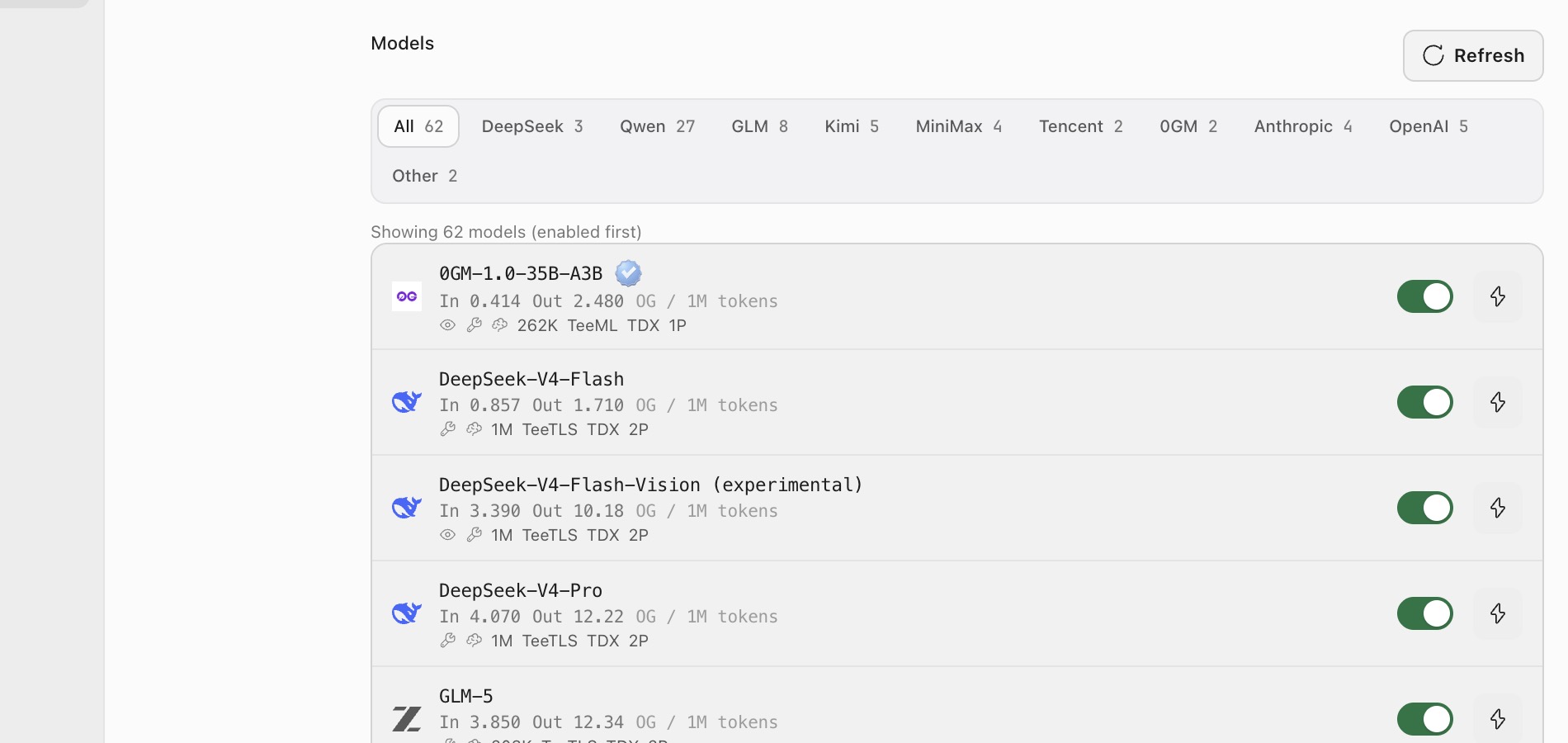
- Filter the catalog by model family.
- Review input/output or media price, context length, privacy-execution markers, and provider count.
- Turn on the model so it appears in Ghast model pickers.
- Use the lightning button to test it.
- Return to Chat or Coding and choose it below the composer.
Enabled models are listed first. Counts, prices, context limits, and available providers are live catalog data; do not treat values in a screenshot as permanent.
Top up
Select Top up. Available methods depend on the current account and region:
- Crypto: choose a supported source chain, token, and amount. Selecting the final top-up button performs one operation that requests a quote from
pay.0g.ai, signs the returned transactions with the local wallet, and submits them directly. There is currently no separate quote-review page. Source chain, token, amount, and wallet address are sent topay.0g.ai; the wallet address is also sent to Hyperstream for multi-chain balance lookup. The private key remains on this device and signs locally. - Card: continue to the official 0G Billing page.
- Exchange: unavailable while the page marks it Coming soon.
Crypto top-up requires a local wallet. Because the final button does not pause at a quote-review step, verify source chain, token, amount, destination network, and wallet address before selecting it. Treat that click as authorization for automatic quote retrieval, local signing, and transaction submission. Do not repeat a transaction whose result is still unknown.
Redeem credit
Select Redeem credit, enter a valid code, and confirm. Redemption requires a bound wallet, and one account can redeem only once. The result may be fulfilled or pending. Refresh a pending result before retrying.
Automatic funding
An automatic-funding rule tops up the account from a selected chain and token when the Payment Layer balance falls below its threshold.
Configure:
- a minimum Payment Layer balance, no lower than 0.1 0G;
- the amount per top-up, initially defaulted to 1 0G. After you change the payment token, this field is denominated in that selected token rather than 0G;
- a maximum execution count, default 3;
- the payment chain, token, and local wallet.
You can pause, resume, or delete a rule. Low wallet balance and the maximum count pause the rule; a failed top-up records a failure. A missing Management Key is different: Ghast silently skips that check, leaves the rule enabled, and adds no Activity Log event. Add the key and trigger another check.
Automatic funding is not a continuous real-time debit. Ghast checks rules at relevant runtime events. Inspect account funds, rule state, and Activity Log before deciding whether a run succeeded.
Troubleshooting
Balance or usage does not refresh
Check the Management Key, then select Refresh. Initial usage-history sync can take time. Do not rotate keys repeatedly to address ordinary network delay.
A model is missing from the composer
Make sure its switch is on, then reopen the model picker. If its test fails, check account funds, network, and the current catalog state.
Automatic funding does not run
Check the Management Key, whether Payment Layer is actually below the threshold, pause state, used count, local wallet, and payment-token balance. A missing Management Key produces neither a paused rule nor an Activity Log event; add it first. A source-chain transfer alone does not prove the Router account was credited.